
Last updated: 14 November 2026. The rollout was still in progress at publication. Google reports the end date on the Search Status Dashboard; we'll update this article with the end date and our own findings once the update is complete.
Jump to the measurement plan ↓
What has been announced?
Google started the November 2026 core update on Tuesday 10 November at 19:06 Dutch time. The update applies worldwide and in all languages, and the rollout can take up to two weeks. It's the third core update this year, after March and May.
A core update is a major change to how Google decides which pages rank at the top. It's not a penalty: Google re-weighs all pages against each other. If you drop, Google now finds other pages more useful. That doesn't mean you broke something.
The March update showed how big the effect can be: according to data from SE Ranking, 79.5% of top-3 results changed position back then.
The timeline to Black Friday
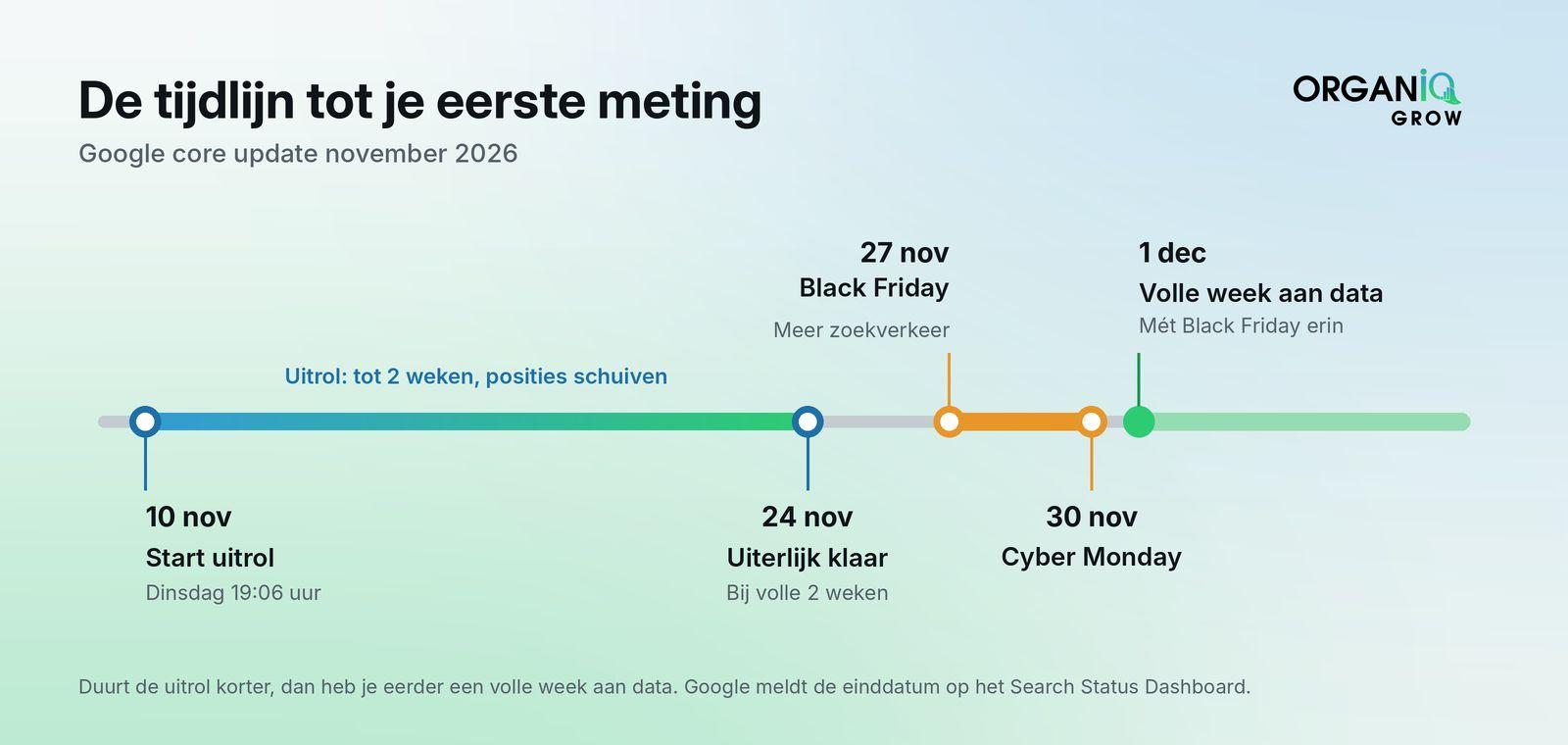
- 10 November: start of the rollout.
- 24 November: finished at the latest, if the rollout takes the full two weeks.
- 27 November: Black Friday.
- 30 November: Cyber Monday.
- 1 December: first full week of data after the update (if it finished on 24 November), with Black Friday included.
What to do and what not to do now
For these two weeks we advise our clients one thing: watch, but touch nothing. Big changes during the rollout make it impossible to see what the update did and what your change did.
- Export your figures from Search Console now, so you have something to compare against later.
- Add 10 November as a note in your analytics.
- Monitor your most important sales and enquiry pages, without drawing conclusions yet.
- Have Google Ads campaigns ready as a safety net for your key products or services.
- Keep publishing just as you normally would.
- Change titles, copy or URLs en masse.
- Delete pages because they drop a few positions.
- Quickly publish extra AI text to compensate for losses.
- Draw conclusions from a single day in a ranking tool.
How to measure the impact in six steps
Google advises waiting until the rollout is complete, then waiting a full week more, and comparing that week with a comparable period before the update. This year, three things get in the way.
Your period before the update isn't calm: trackers already showed more fluctuation in search results from around 27 October. Your period afterwards falls in Black Friday week, when far more is searched and your traffic rises regardless. And ranking tools show a lot of day-to-day noise. These six steps let you measure fairly anyway.
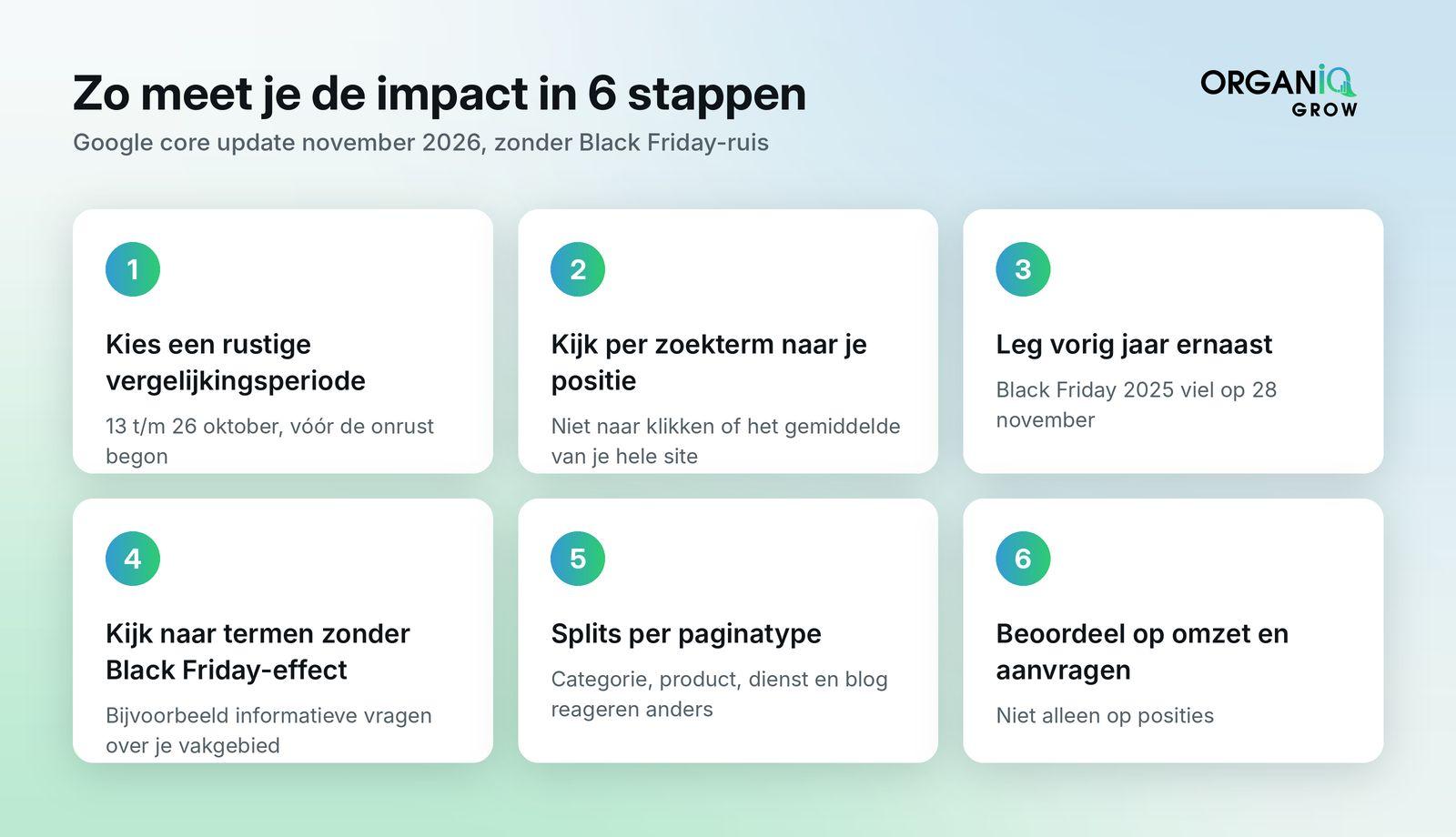
- Pick a calm comparison period. Take 13 to 26 October: two full weeks before the turbulence began.
- Look at your position per search term. Clicks and impressions rise with demand around Black Friday. Your average position for the whole site also shifts, because you appear for more terms. So look at the position per important search term.
- Put last year next to it. Compare with the same days around Black Friday 2025 (Friday 28 November). Search Console keeps 16 months of data, so you still have those figures. If your traffic grows less than last year, that's a signal.
- Look at search terms Black Friday has no effect on. Think of informational questions about your field. If your position changes there, it's probably due to the update.
- Split by page type. Category, product, service and blog pages often react differently.
- Judge on revenue and enquiries. A drop on a term with no traffic matters less than a small drop on a term that brings in customers.
How to set it up
In Search Console, go to Performance, click the date filter, choose the Compare tab and set your two periods under Custom. Then filter by a query or page to compare per element.
After measuring: what do you do with it?
Went up?
Look at which pages rose and why. That's your blueprint for the rest of your website.
Dropped a few spots?
Then drastic measures aren't needed, according to Google. Keep an eye on it and keep improving calmly.
Clearly dropped on important pages?
Look at which pages now rank above you. What do they offer that you don't? Judge your own page honestly against the questions Google itself asks about helpful content, and improve from there. Recovery can take days to months and sometimes only becomes visible at the next core update.
Webshop or service provider: what to watch
Webshop
Your category and product pages are the most sensitive, and that's during your most important sales weeks. Monitor them daily, but only intervene after the analysis. Have your Google Ads campaigns ready to catch any dip.
Service provider
Black Friday may not be your problem, but the update is. Decide which service pages generate enquiries and keep an eye on those. A drop on a blog article is less urgent than a drop on your most important service page.
Less dependent on a single update
Recovery after a core update comes from better content, not from a technical trick. Google keeps asking the same question: is your content made to help people, or to rank? So show your own knowledge and experience, and add something other results don't have. Show who is behind your content, with a real author and a clear About page. And use AI only with human oversight: publishing large amounts of unchecked AI text is seen by Google as low effort.
On the same day this update began, OpenAI launched Businesses in ChatGPT, which lets you claim your business profile in ChatGPT. Read our blog: claim your business in ChatGPT
Google doesn't mention AI Overviews or AI Mode with this update, but AI answers often draw their sources from pages that rank well in Google. Those who are strong in both Google and AI search engines are less vulnerable to a single update. Read more about our approach to visibility in AI search engines
Sources
- Google Search Status Dashboard: November 2026 core update
- Google Search Central: Google Search's core updates
- Google Search Central: Creating helpful, reliable, people-first content
- PPC Land: Google's core update shifts rankings for up to 2 weeks before Black Friday
- got.media: Google's November 2026 core update is rolling out
Curious how your website stands in Google and in AI search engines? Take Organiq Grow's free scan and see in a few minutes where your opportunities lie.
Take the free scan →